
Hybrid IT Disaster Recovery Plan Template: Turn Your Checklist into a Working Operating Model


Most disaster recovery plan templates fail when your hybrid IT environment faces real trouble. The usual checklists overlook hidden dependencies across cloud, SaaS and on-premise systems, leaving teams scrambling in the dark. This guide shows how to build a hybrid IT disaster recovery plan template that maps those critical links, sets clear priorities and assigns ownership, so your team cuts downtime instead of just ticking boxes.
The Incomplete Plan Dilemma
The first step in fixing a problem is knowing it’s there. Many disaster recovery plans fall short because they don’t map real dependencies. Your hybrid IT setup’s complexity demands more than a generic checklist.
Exposing Dependency Chains
To create a robust disaster recovery plan template you need to reveal hidden dependencies. Think of it like a chain reaction: if one system fails, what follows? Many plans miss this critical insight. You must identify every link in your IT chain. Start by listing all your systems, both on-premise and cloud-based. Draw connections between them. This map becomes your guide when things go wrong. It helps you understand where to focus your recovery efforts. Without it, you’re left guessing which system to fix first.
Prioritising Recovery Efforts
Not all systems are created equally. Some are crucial, while others can wait. Your plan should reflect this. By prioritising recovery efforts, you ensure that the most critical systems are up and running first. Ask yourself: which systems keep the business moving? Consider customer-facing applications and those essential for operations. These systems should top your list. Once you know your priorities, allocate resources accordingly. This way, your team can tackle problems in a logical order, reducing downtime.
Assigning Clear Responsibilities
A plan is only as good as the people behind it. Assigning clear responsibilities is vital. Who will do what when disaster strikes? Clarity here prevents confusion later. Each team member should know their role and the systems they’re responsible for. This not only speeds up recovery but instils confidence in your team. It’s about creating a sense of ownership, so everyone knows their part in the bigger picture.
Mapping Your Hybrid IT Dependencies
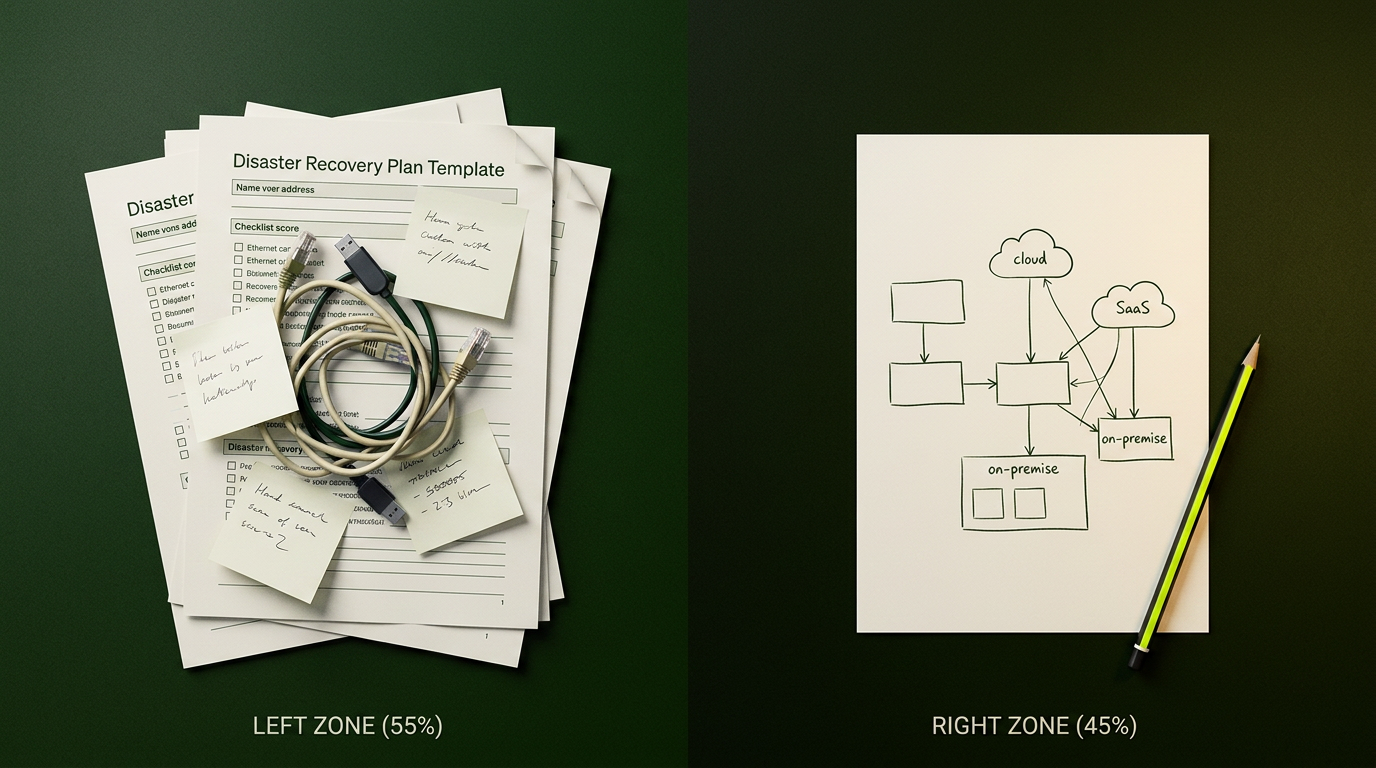
With priorities set, it’s time to dive deeper into your IT environment. Mapping dependencies in your hybrid setup ensures you don’t miss critical connections.
Identifying Critical Systems
Start by identifying which systems are vital for business continuity. These are the systems that, if they fail, bring everything to a halt. List them and note their dependencies. For instance, a payroll system might rely on a database and authentication service. Knowing these dependencies helps you see the bigger picture. It allows you to plan recovery efforts more effectively. Remember, the goal is not just to recover systems but to restore business operations.
Service Ownership Matrix
Next, create a service ownership matrix. This tool lists all systems and identifies who owns each. It clarifies who is responsible for what. This clarity is crucial when assigning tasks during a recovery effort. It also helps with accountability. When everyone knows their role, there’s less room for error. The matrix acts as a go-to resource during an incident, making sure nothing falls through the cracks.
Prioritised Recovery Sequence
Now, arrange your systems into a prioritised recovery sequence. This sequence should reflect your earlier analysis of critical systems. It provides a step-by-step guide for recovery. By following it, your team can focus on restoring the most crucial systems first. This approach minimises business disruption and ensures a swift return to normal operations. It’s about making recovery logical and efficient, so your business bounces back quicker.
Planning and Testing for Reliability

A good plan is only as effective as its execution. Regular testing ensures that your disaster recovery plan stands up when it’s needed most.
RTO and RPO Planning
Recovery Time Objectives (RTO) and Recovery Point Objectives (RPO) are key metrics in disaster recovery. RTO defines how quickly you need to recover after a disruption. RPO, on the other hand, indicates the maximum acceptable data loss. Both should guide your planning. Set realistic objectives based on your business’s needs. Then build your strategy around these targets. This way, you ensure your recovery efforts align with business goals.
Recovery Testing Cadence
It’s not enough to have a plan; you must test it regularly. Establish a recovery testing cadence. This schedule keeps your team prepared and identifies gaps in your plan. Testing should simulate real-world scenarios. This practice helps your team respond better during an actual incident. Regular testing builds confidence and uncovers areas for improvement. It’s about making sure your plan works when it counts.
Building a Comprehensive Runbook
A comprehensive runbook is your disaster recovery playbook. It contains detailed instructions for handling incidents. Think of it as your guide to action. Include step-by-step procedures, contact lists and escalation paths. This resource ensures everyone knows what to do. It turns chaos into order. With a comprehensive runbook, you’re not just responding to disasters; you’re managing them effectively.
Frequently Asked Questions
What is a disaster recovery plan template?
A disaster recovery plan template outlines steps to recover IT systems after a failure. It includes mapping dependencies, setting priorities and assigning responsibilities.
How do you map dependencies in a hybrid IT environment?
Start by listing all systems and identifying their connections. This map helps you understand which systems rely on each other, guiding recovery efforts.
Why are RTO and RPO important in disaster recovery?
RTO and RPO set recovery time and data loss targets. They ensure that recovery efforts align with business goals, minimising disruption.
What should a service ownership matrix include?
It should list systems and identify who owns each. This clarity is crucial for assigning tasks and ensuring accountability during recovery.
How often should a disaster recovery plan be tested?
Regular testing, ideally at least bi-annually, ensures that your disaster recovery plan is effective and uncovers any gaps for improvement.